Context gets copied by hand
Developers paste stories and acceptance criteria into every new AI session.
Bring stories, acceptance criteria, defects, and sprint context directly into Claude Code, Codex, and GitHub Copilot through one MCP server.
Codex · Claude · Antigravity
I’ll define the audience, offer, landing-page flow, channels, conversion path, and measurement plan.
Audience   Engineering teams
Channels   LinkedIn + Google Ads
Conversion Request a tailored demo
I found project 1360. I’ll preview the stories before creating anything.
Silverile / bulk_create_storiespreview ready+8 more stories from the campaign plan
Done. The approved stories are now available in Silverile Campaign.
Silverile / bulk_create_storiescompletedI loaded the story, its acceptance criteria, and five test cases. I’ll keep the implementation aligned.
Silverile / get_story 2218completed+ persistRequest(payload, transaction)
+ recordNotificationEvent(status)
Yes. Use a dedicated silver_campaigns database on the existing PostgreSQL instance, with the campaign service owning database access. I recommend updating story 2218 so this decision is captured.
The preview changes only the description and acceptance criteria. Shall I apply these changes?
Silverile / update_story 2218completed✓ Story 2218 updated and verified in Silverile.
Coding agents stop at the repository boundary. The intent, constraints, defects, and delivery context live somewhere else.
Developers paste stories and acceptance criteria into every new AI session.
Generated code looks plausible but quietly misses requirements and edge cases.
Work happens in the IDE while status updates wait for someone to remember.
Start with the work your team already has. Add intelligence without adding another disconnected process.
Add the Silverile MCP server to any MCP-compatible coding environment.
Reference a story, defect, or sprint and receive the complete delivery context.
Implement, validate, generate tests, and keep the project board synchronized.
Ask for assigned work, load the full story, implement against acceptance criteria, validate the result, and send status back to the board.
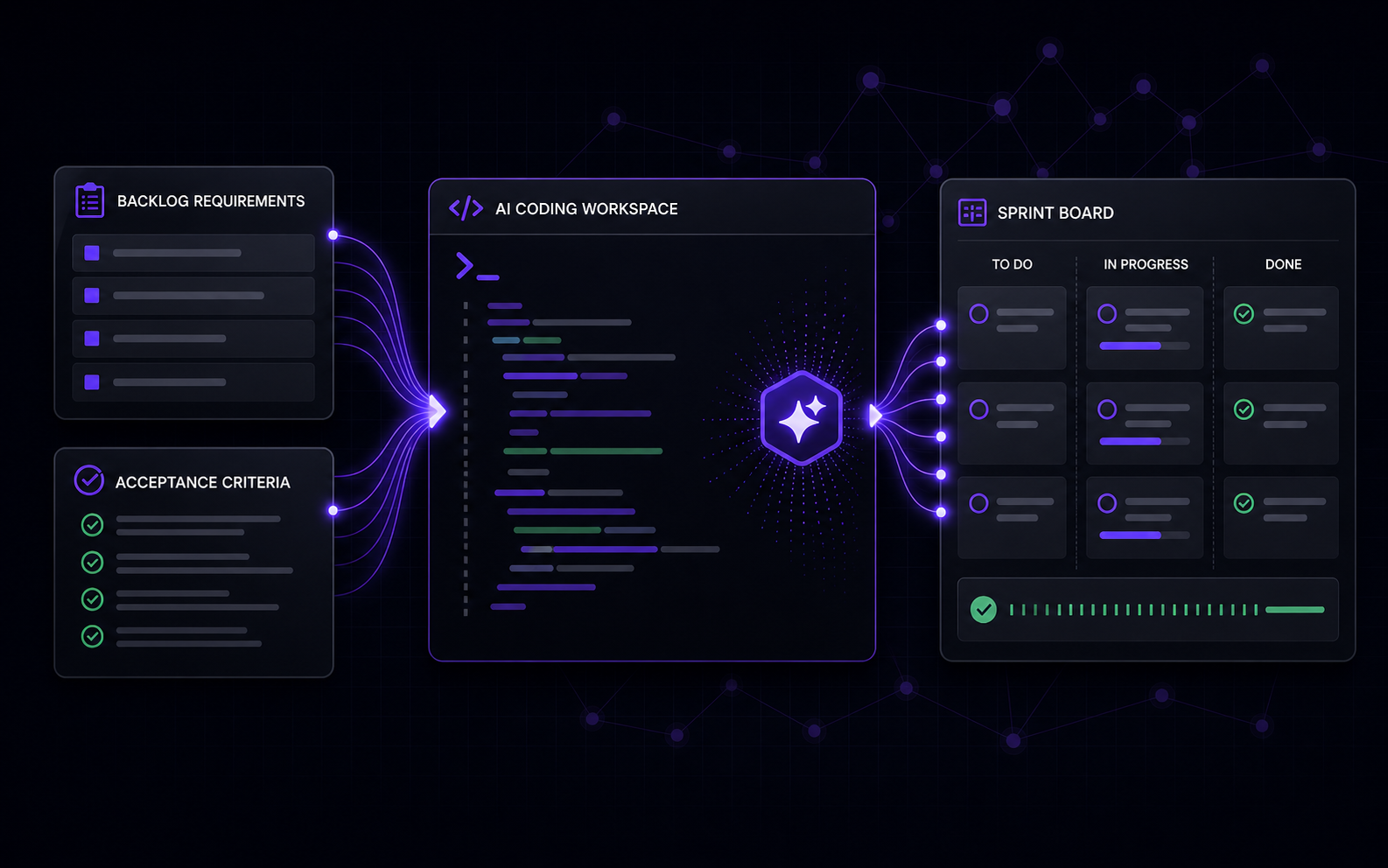
Stories, criteria, defects, and sprint signals stay connected.
Claude Code, Codex, Copilot, and the tools that come next.
Bring agreed context to the code instead of moving it by hand.
Share one real workflow. We’ll review your context first, then arrange the most useful working session for your team.
No generic sales deck. No calendar commitment until we review your request.Need something more specific? Request a working session and tell us about your current toolchain.
No. Project context is available through MCP inside the AI coding environment they already use.
Any MCP-compatible client, including Claude Code, OpenAI Codex, GitHub Copilot, and supported JetBrains workflows.
No. AI assists while developers remain in control. Generated work and project updates follow explicit user actions.
No. CodeContext adds a connected context layer between project planning and AI-assisted development.